
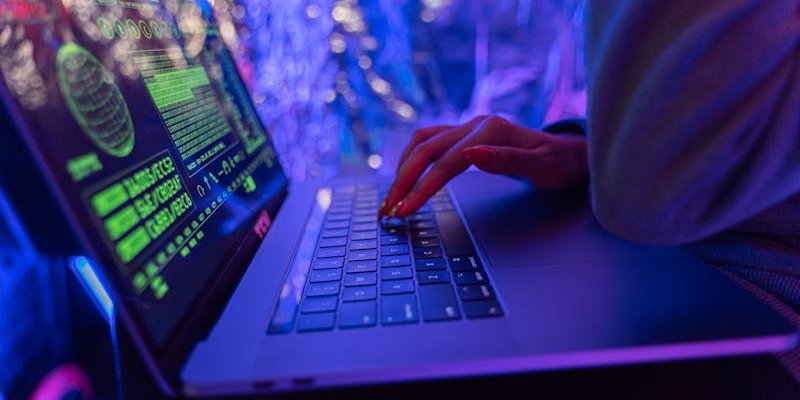
Have you ever wondered how safe your work data really is when you log in from your home WiFi, a café, or while traveling?
Remote work has become the new normal for millions of people around the world. Companies have embraced flexible work environments, and employees enjoy the freedom to work from anywhere. But this shift also brings new security challenges. When people work outside the traditional office network, they often become easier targets for cybercriminals.
Hackers know that home networks are usually less secure than corporate systems. They also know that remote workers might access sensitive files from personal devices, public networks, or unsecured applications. This creates opportunities for data breaches, identity theft, and financial loss.
The good news is that protecting yourself and your company does not require advanced technical skills. By following a few smart practices, remote workers can significantly reduce security risks.
In this guide, we will explore 10 essential cybersecurity tips for remote workers that help keep data safe while working from home or anywhere else.
1. Use Strong and Unique Passwords
Passwords remain the first line of defense against cyber threats. Unfortunately, many people still rely on weak passwords such as birthdays, simple number sequences, or the same password across multiple accounts.
If one account gets compromised, attackers can easily access others.
A strong password should include:
- A mix of uppercase and lowercase letters
- Numbers and symbols
- At least 12 characters
For example, instead of using a simple password like password123, choose something more complex and unique.
It is also helpful to use a password manager. These tools store and generate secure passwords, so you do not need to remember them all.
Strong password habits are one of the most important cybersecurity tips for remote workers, especially when accessing company systems outside the office network.
2. Enable Two Factor Authentication
Two factor authentication adds an extra layer of protection to your accounts. Even if someone steals your password, they still need a second verification step to log in.
This second step might be:
- A code sent to your phone
- An authentication app
- A security key
Many major platforms already support this feature, including services from companies like Google and Microsoft.
Activating two factor authentication dramatically reduces the risk of unauthorized access. It takes only a few minutes to set up but offers long term security benefits.
3. Secure Your Home WiFi Network
Your home WiFi network is the gateway to your work devices. If it is not properly secured, outsiders may gain access to your internet connection and the data traveling through it.
Start by changing the default router password. Many routers come with simple credentials that hackers can easily guess.
Next, ensure your network uses strong encryption, preferably WPA3 or WPA2.
You should also consider hiding your network name and regularly updating your router firmware.
Simple actions like these help strengthen your remote work security and make it harder for attackers to access your network.
4. Avoid Public WiFi When Accessing Work Data
Public WiFi networks in places like airports, hotels, and coffee shops are convenient but risky. These networks are often unsecured, which means cybercriminals can intercept the data being transmitted.
If you must use public WiFi, avoid accessing sensitive work systems such as company databases or financial tools.
A safer option is using a Virtual Private Network, often called a VPN. A VPN encrypts your internet traffic and protects your information from prying eyes.
Companies often provide VPN access for employees to ensure secure remote working from different locations.
5. Keep Your Software and Devices Updated
Software updates may seem annoying, but they are essential for security. Developers regularly release updates to fix vulnerabilities that hackers might exploit.
If your operating system, browser, or work applications are outdated, you could be leaving a door open for attackers.
Enable automatic updates whenever possible on:
- Operating systems
- Web browsers
- Security software
- Work applications
Keeping everything updated is a simple but powerful way to strengthen work from home security.
6. Be Careful with Phishing Emails
Phishing attacks are one of the most common cyber threats targeting remote workers. These attacks usually come as emails that appear to be from trusted sources.
A phishing message might ask you to:
- Click a suspicious link
- Download an attachment
- Provide login credentials
Always verify the sender before clicking anything. Look for warning signs such as spelling mistakes, unusual requests, or unfamiliar email addresses.
If something feels suspicious, contact your company’s IT department before taking action.
Staying alert to phishing attempts is one of the most practical online security tips you can follow.
7. Use Company Approved Tools and Platforms
Many remote workers rely on digital tools for communication and collaboration. However, using random applications without proper approval can create security risks.
Stick to company approved platforms for work related activities.
For example, organizations often rely on secure services such as:
- Microsoft Teams
- Zoom
- Slack
These platforms usually include security controls that help protect company data.
Avoid sharing confidential information through personal messaging apps or unsecured channels.
8. Separate Work Devices from Personal Devices
Mixing work and personal activities on the same device can create security problems.
Personal devices might have games, unknown apps, or downloads that introduce malware. If that device also accesses company data, it increases the risk of infection.
Whenever possible, use a dedicated work laptop or device provided by your employer.
If you must use a personal device, make sure it includes:
- Updated antivirus software
- Strong passwords
- Secure browsing practices
Maintaining separation between personal and professional devices supports better data protection for remote workers.
9. Lock Your Devices When Not in Use
Physical security matters just as much as digital security. If someone gains access to your unlocked device, they might easily access sensitive files or company systems.
Always lock your computer when stepping away, even if you are at home.
You can also enable automatic screen locks that activate after a short period of inactivity.
For mobile devices, use:
- Fingerprint authentication
- Face recognition
- Strong passcodes
These measures protect your work environment and reduce the risk of unauthorized access.
10. Back Up Important Data Regularly
Data loss can happen for many reasons. It might be due to hardware failure, accidental deletion, malware, or ransomware attacks.
Regular backups ensure that your work files can be recovered if something goes wrong.
Companies often use cloud storage services or secure backup systems. Examples include solutions provided by Dropbox and Google.
Make sure backups occur frequently and are stored in secure locations.
Backing up your files is one of the most overlooked yet valuable cybersecurity tips for remote workers.
Why Cybersecurity Matters More in Remote Work
Remote work environments expand the digital footprint of an organization. Instead of operating within a protected office network, employees connect from different devices, networks, and locations.
This distributed setup creates more entry points for cyber threats.
Cybercriminals often target remote workers because they assume security measures are weaker outside corporate offices. A single compromised device can allow attackers to infiltrate larger company systems.
The impact of a data breach can be severe. It might include financial losses, legal problems, damaged reputation, and loss of customer trust.
That is why cybersecurity awareness must become a daily habit for anyone working remotely.
Building a Security Mindset
Technology alone cannot prevent cyber-attacks. The human factor plays a major role in maintaining security.
Remote workers should develop a habit of thinking about security before performing digital actions.
Ask yourself simple questions such as:
- Is this email trustworthy?
- Is this network secure?
- Should I share this file through this platform?
- These small moments of awareness can prevent major security incidents.
Organizations also benefit from regular training sessions that educate employees about new threats and safe online behavior.
The Future of Remote Work Security
Remote work is not just a temporary trend. Many businesses now operate with distributed teams across multiple locations and time zones.
As remote work continues to grow, cybersecurity strategies will evolve to match new challenges.
Companies are increasingly adopting advanced security approaches such as:
- Zero trust security models
- Device monitoring systems
- Secure cloud environments
However, even with advanced tools, individual responsibility remains crucial. Every remote worker plays a role in protecting company data.
Final Thoughts
Remote work offers flexibility, comfort, and productivity benefits. But it also requires greater awareness of digital security.
Following these cybersecurity tips for remote workers can greatly reduce the chances of falling victim to cyber attacks. Simple habits like using strong passwords, avoiding public WiFi, and staying alert to phishing attempts make a significant difference.
Cybersecurity does not need to be complicated. With the right practices and mindset, remote workers can enjoy the benefits of working from anywhere while keeping their data safe.
In the end, protecting information is not just about technology. It is about staying informed, cautious, and responsible in every online interaction.

